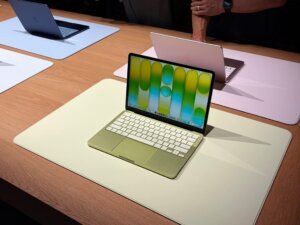
The Windows vs macOS vs ChromeOS choice decides your laptop experience more than any single specification. Windows offers the widest software and hardware range. Consequently, macOS counters with efficiency and ecosystem polish on Apple hardware only. Furthermore, ChromeOS wins on simplicity and price for web-based work. This 2026 guide matches each system to its rightful owner.
Key Takeaways
- Windows: maximum compatibility, gaming, and hardware choice at every price.
- macOS: Apple silicon only, superb battery life and creative software.
- ChromeOS: web and Android apps, automatic updates, lowest maintenance.
- Your required software list should decide before brand loyalty does.
Windows vs macOS vs ChromeOS: Software First
This 2026 operating system comparison stresses that Windows still offers unmatched software compatibility, from enterprise tools to PC games. macOS covers most creative and office software, but not every Windows-only professional program. ChromeOS runs web apps and Android apps, not full desktop applications. Therefore, list your essential programs first. Any system missing one of them is already eliminated.
Hardware, Price, and Battery
Windows laptops span budget machines to powerful workstations from many brands. Macs start at premium prices, but Apple silicon delivers outstanding battery life and quiet performance. Chromebooks cost least and sip power, often lasting a full school or work day. Each platform’s price therefore buys a different strength. Judge total ownership, including repairs and lifespan, rather than the sticker alone.
Security, Updates, and Maintenance
ChromeOS updates automatically in the background and sandboxes its browser-centred design, making it the lowest-maintenance option. macOS benefits from Apple’s controlled hardware and software pairing. Windows has improved security markedly, yet its huge install base attracts the most attacks, so updates and Defender matter. Students and families often value ChromeOS’s set-and-forget character most. Professionals, conversely, usually accept Windows or macOS upkeep for capability.
Verdict: Match the System to the Work
Choose Windows for gaming, specialised software, and hardware freedom. Choose macOS for creative work, battery life, and an iPhone-centred ecosystem. Choose ChromeOS for school, browsing, documents, and simple reliability on a budget. Additionally, check any school’s or employer’s requirements before buying. No system wins universally; the right workflow crowns the winner.
In short, software decides first, budget second, brand last. Pick the system your daily work already lives in.