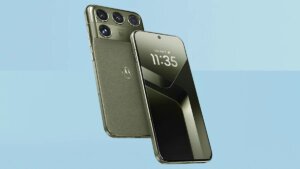
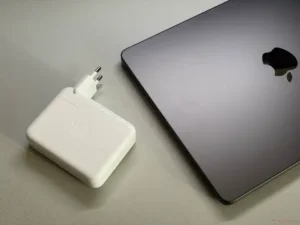
The best laptops for creative professionals in 2026 are chosen by workload, not by a top-10 ranking. Video, photo, design, and 3D work stress different parts of the same machine. Consequently, this guide anchors its tiers on Adobe’s published Premiere requirements, then extends them honestly to other creative tools. Furthermore, the screen is a professional instrument, not a decoration. Buy for the files you actually deliver.
Key Takeaways
- Premiere recommends 16GB RAM for HD and 32GB or more for 4K.
- GPU memory of 6GB or more is Adobe’s 4K recommendation.
- Colour-accurate screens decide photo and design work.
- Fast SSD storage for apps, cache, and media is essential.
Best Laptops for Creative Professionals: The Adobe Baseline
Adobe’s official Premiere technical requirements recommend 16GB of RAM for HD media and 32GB or more for 4K and higher. GPU memory guidance rises from 4GB for HD to 6GB or more for 4K work. Adobe also assumes fast internal storage for the application, cache, and media. Therefore, a creative laptop below those lines is a learning machine, whatever its marketing says. Professional tiers start where Adobe’s recommendations start.
By Discipline: Video, Photo, Design, 3D
Video editors should prioritise RAM, GPU memory, and sustained cooling across long exports. Photographers gain most from a colour-accurate, high-resolution screen and fast card-to-SSD workflows. Designers and illustrators should weigh pen support, colour coverage, and all-day battery for client sites. 3D artists need the strongest GPU and the most memory the budget allows. Additionally, Apple silicon MacBooks compete strongly on efficiency, while Windows workstations answer with upgradeability and GPU choice.
Ports, Storage, and the Second Screen
Creative work lives on external drives, card readers, calibrators, and monitors. Thunderbolt or USB4 ports, an SD reader, and HDMI output remove dongle friction daily. Internal storage of 1TB suits most hybrid workers, with fast external SSDs extending every library. Additionally, budget for backup from day one, because client files are income. No laptop specification excuses a single-copy archive.
Verdict: Spec the Deliverable, Not the Dream
List your three heaviest applications, buy one tier above their recommended specifications, and protect the purchase with warranty and backup. Additionally, a capable desktop still out-renders laptops at equal money for studio-bound work. The best laptops for creative professionals are tools matched to billable output.
In short, creative laptops are production equipment. Adobe’s own numbers draw the professional line clearly.