The things to check before buying a used laptop decide whether you found a bargain or inherited expensive problems. Battery wear, storage health, and software support matter more than a shiny lid. Consequently, this checklist runs in inspection order. Furthermore, every test below is free.
Key Takeaways
- Run the battery report and compare full-charge with design capacity.
- Refuse any laptop with a swollen battery or bulging case.
- Confirm Windows 11 support, because Windows 10 support ended in 2025.
- Agree a written return window before any money changes hands.
Step 1: Read the Battery Report, Not the Percentage
On Windows, run powercfg /batteryreport and compare Full Charge Capacity with Design Capacity. This used-laptop checklist, built on Microsoft and Apple guidance, explains how that ratio estimates remaining battery health. On a Mac, check cycle count and battery condition in system settings instead. Additionally, test the laptop unplugged under real load, because one idle minute proves nothing.
Step 2: Check Storage Health, Screen, Keyboard, and Ports
Next, confirm the drive is an SSD and check its health in the maker’s diagnostic tool. Then inspect the screen for dead pixels, flicker, and hinge damage. Type on every keyboard row and test the trackpad, webcam, speakers, and Wi-Fi. Specifically, plug something into every port, because one dead USB port often signals board damage. A swollen battery or lifted trackpad means walk away immediately.
Step 3: Verify Software Support and Ownership
A used laptop stuck on unsupported software becomes a security risk quickly. Windows 10 reached end of support in October 2025, so confirm the machine officially supports Windows 11. On a Mac, confirm it still receives current macOS updates. Then check the device is signed out of the previous owner’s account and factory reset. Activation locks make an otherwise perfect laptop useless.
Step 4: Price the Repairs Before You Pay
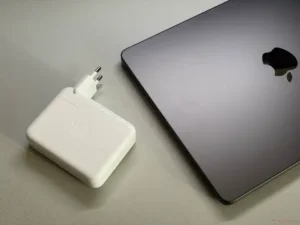
Finally, subtract likely repair costs from the asking price before negotiating. A worn battery, small SSD, or missing charger can erase the saving entirely. Ask about service history and whether the battery was already replaced. Get the return terms in writing, even for a local purchase. A seller who refuses basic checks is giving you useful information.
In short, battery report first, then hardware checks, support, and ownership. Ten careful minutes protect years of daily use.