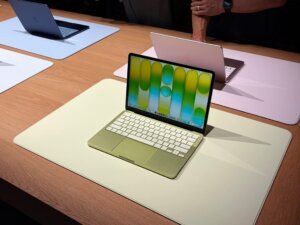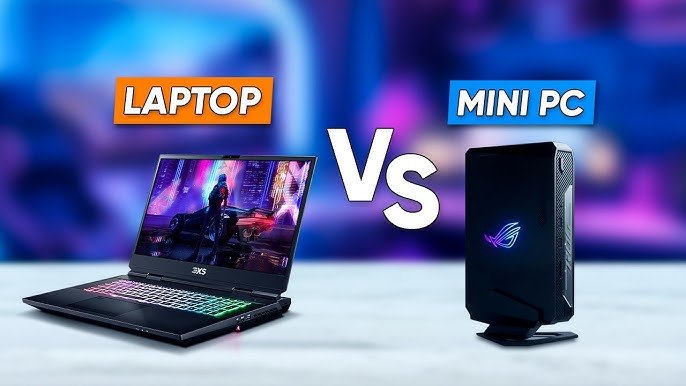
The mini PC vs laptop decision is really a whole-setup comparison, because the two products include very different things. A mini PC sells you computing power only, in a box that hides behind a monitor. Consequently, a laptop sells you the complete working kit: screen, keyboard, trackpad, speakers, and battery. Furthermore, comparing box price against laptop price alone misleads every buyer. Compare total setups and movement patterns instead.
Key Takeaways
- A mini PC needs a separate monitor, keyboard, and mouse to work.
- A laptop includes everything, including battery power away from sockets.
- Mini PCs often allow easy RAM and SSD upgrades; many laptops do not.
- Fixed desk plus existing peripherals is the mini PC’s strongest case.
Mini PC vs Laptop: The Total-Kit Test
This mini PC vs laptop guide for small desks frames the choice correctly: choose a mini PC when the workspace is fixed and peripherals already exist, and a laptop when the computer must move. If you already own a good monitor and keyboard, the mini PC’s low price is real money saved. If you own nothing, adding peripherals closes most of the gap. Students and travellers, meanwhile, cannot leave the screen behind at all.
Performance, Upgrades, and Noise
Most mini PCs use the same mobile-class processors as laptops, so raw speed at equal specification is similar. The mini PC advantages are practical: more ports, easier cooling in a roomier box, and frequently replaceable memory and storage. Many modern laptops solder those parts permanently. Consequently, a mini PC can grow with you through cheap upgrades years later. It also runs happily around the clock as a home server or media box. Laptops counter with integrated webcams, speakers, and microphones that a mini PC setup must add separately.
Movement and Power Cuts
A laptop works through a power cut, on a train, and in whichever room you choose. A mini PC stops the moment the mains or monitor disappears. Moving one means unplugging a small bundle of cables and peripherals, not grabbing a single object. However, some people genuinely never move their computer, and for them the laptop’s battery and screen are paid-for features they never use. Honesty about your own routine settles this section instantly.
Verdict: Fixed Desk or Moving Life?
Choose a mini PC for a permanent desk with peripherals you already like. Choose a laptop for study, travel, hybrid work, or unreliable power. Additionally, a mini PC plus a modest tablet covers many households better than one costly laptop. Price the complete setup, count your moving days, and the winner names itself.
In short, mini PCs sell power per pound; laptops sell freedom per charge. Buy the one your week actually needs.