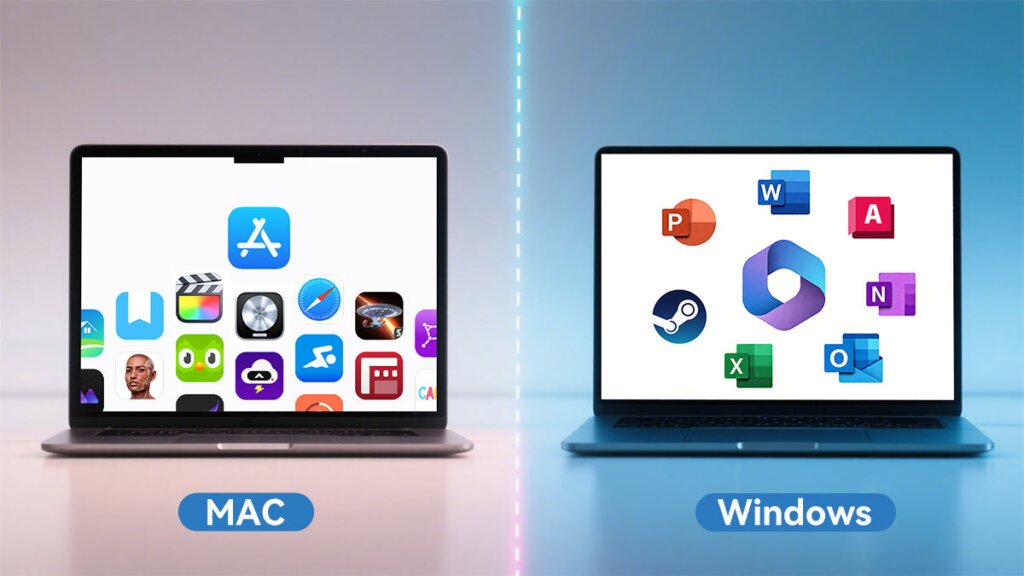
The debate around MacBook vs Windows AI PCs is no longer just about macOS versus Windows. It now features AI acceleration, battery efficiency, software ecosystems, gaming support, creative workflows and long term performance.
Meanwhile, Apple is going all out with the Apple Silicon strategy with the M5 line, and Microsoft and PC hardware makers are aggressively marketing Copilot+ AI PCs based on Intel Core Ultra, AMD Ryzen AI and Qualcomm Snapdragon X chips.
Now both types are very powerful. They are good at different things, however. The best one for you will depend on your working style, the software you are using, and the significance of AI tools in your day-to-day workflow.
AI Processing and Performance
The M5 chips from Apple are still one of the most powerful processors currently on the market in 2026 for laptops.
The MacBook Pro/M5 MacBook Air feature CPU, GPU and Neural Engine processing power all in one. Apple states that with the M5 it has dramatically enhanced the performance of AI workloads, due to significantly faster Neural Engine performance and better graphics acceleration for local AI tasks.
Apple’s greatest strength is the uniformity of its memory. MacBooks use the CPU, GPU, and Neural Engine to share memory resources efficiently instead of separating system RAM and GPU memory. This enhances AI processing for creative uses and local large-language-models workloads.
Windows AI PCs have a different way to approach AI. Unlike Apple’s 38 TOPS Neural Engine in the M5 generation, the majority of Copilot+ laptops feature dedicated NPUs with approximately 45–50 TOPS of AI capabilities.
So far, Windows AI PCs dominate in the following aspects:
- Real-time AI translation
- Copilot+ features
- AI-assisted productivity
- Enterprise AI deployment
MacBooks currently lead in:
- Local AI model efficiency
- Creative AI workflows
- Battery-efficient AI processing
- Unified memory optimization
MacBooks are gaining more popularity for developers and creators who are running AI workloads locally. PCWorld noted that Apple’s M5 Max systems now handle large local AI models extremely well because of high unified memory capacity.
Battery Life and Efficiency
One thing Apple has going for it is its battery life.
Apple has a tight grip on optimizing the entire MacBook system—hardware and software—instead of just one of the components, making it more efficient than the majority of Windows laptops.
The MacBook Air M5 reportedly continues to run at full speed on battery even though other Intel and AMD laptops throttle back performance when battery-powered to extend battery life.
The MacBook Air M5 consistently delivers:
- 15-18 hours of light work output
- Workloads 10+ hours with heavier workloads
The MacBook Air M5 was one of Apple’s biggest efficiency upgrades ever, according to The Guardian.
The Windows AI PCs have come a long way and particularly Qualcomm Snapdragon X Elite PCs. There are now some high-end AI laptops capable of matching Macbook battery life.
Nevertheless, there is a lot of difference between Windows laptops based on the following:
- Manufacturer optimization
- Display type
- GPU configuration
- Cooling systems
MacBooks are more consistent, overall.
In terms of battery life, Apple will still win the MacBook vs Windows AI PCs comparison.
Software and Ecosystem
One of the key factors in this MacBook vs Windows AI PCs debate is software experience. MacBooks like to be in Apple’s world. Features like:
- AirDrop
- Universal Clipboard
- iPhone mirroring
- iCloud syncing
- Apple Intelligence
…Ensure smooth and easy transition between devices.
The same applies to Apple Intelligence, which is tightly coupled with macOS, where it supports writing assistance, image processing, smart search, and automation.
Windows AI PCs place greater emphasis on Copilot+. Features include:
- Recall
- Live translation
- AI-assisted search
- Productivity summarization
- AI image generation
Microsoft’s approach to AI is more comprehensive, and some people believe that the environment remains unclear for the average consumer.
Windows still holds on in enterprise environments due to:
- Improved compatibility with legacy software.Improved support for legacy software.
- Active Directory integration
- Wider hardware flexibility
- Better gaming support
Generally, MacBooks are preferred for:
- Video editing
- Music production
- Creative workflows
- Mobile productivity
For Windows AI PCs, it is typically recommended to use them for:
- Gaming
- Enterprise work
- Engineering software
- Custom hardware support
- Not every game and software will be compatible.
Gaming and Software Compatibility
The big one is the gaming factor. Windows AI PCs are still significantly better for gaming because most PC games are optimized for Windows and DirectX. NVIDIA RTX enabled AI PCs also excel in applications that benefit from the power of GPUs, such as:
- 3D rendering
- CUDA acceleration
- Machine learning training
- AAA gaming
Game development is improving for Mac in 2026, particularly on Macs with the M5 Max chipset. Some Windows games now run surprisingly well through translation layers like CrossOver and Parallels.
However, for hardcore gamers, Windows is still the better platform.
For software compatibility:
The software library is bigger on Windows. Compared to Mac OS X, macOS offers more optimized support for supported creative applications.
For users with workflows that heavily rely on specialized Windows software, AI PCs typically are the better bet.
Build Quality and Design
Apple remains the most consistent. MacBooks continue offering:
- Premium aluminum construction
- Excellent trackpads
- High-quality displays
- Strong speakers
- Industry-leading thermal efficiency
A lot of reviewers still say that MacBooks are one of the best built laptops that are available.
But Windows AI PCs are making huge strides these days.
Premium devices like:
Now they’re neck in neck with Apple in terms of design and display.
Even Tom’s Guide commented that Dell’s latest XPS redesign is as far as going portable and display quality of OLED are concerned, it’s as good as Apple.
The disparity is far less than it was a couple of years ago.
Pricing and Value
Windows AI PCs provide much greater pricing options. You can buy:
- The price of budget AI laptops is approximately $600.
- Mid-range productivity systems
- High-end RTX workstations
Even with the possibility of upgrading RAM and storage, MacBooks continue to be costly.
As of 2026, Apple enhanced base specs by raising the standard storage of multiple models.
Some users say that MacBooks are now more valuable over time due to:
- Better resale value
- Longer software support
- Battery longevity
- Consistent performance
Generally, Windows laptops offer you more hardware selections and they’re less costly.
Who Should Buy a MacBook?
The question that needs to be asked is: Who should buy a MacBook?
Choose a MacBook if you:
- Work with Apple’s ecosystem
- Prioritize battery life
- Professionally edit videos or photos
- Want strong local AI processing
- Prefer quiet, efficient laptops
- Need reliable portability
MacBooks are particularly powerful for creators, students, developers, and remote professionals.
But who is the target audience for a Windows AI PC?
Choose a Windows AI PC if you:
- Play games regularly
- A need for enterprise software compatibility.
- Use engineering or specialized Windows applications
- Want touchscreen or 2-in-1 flexibility
- Use NVIDIA GPU acceleration.
- Prefer broader hardware choices
Windows AI PCs are ideal for gamers, enterprise users, engineers, and those who value flexibility.
Conclusion
There is no universal winner in the MacBook vs Windows AI PCs debate.
If you prioritize efficiency, portability, and creative productivity, MacBooks remain one of the best laptop choices available.
If you prioritize flexibility, gaming, enterprise workflows, or broader software support, Windows AI PCs are the better investment.
The strongest choice depends less on raw specifications and more on the ecosystem and workflow you rely on every day.