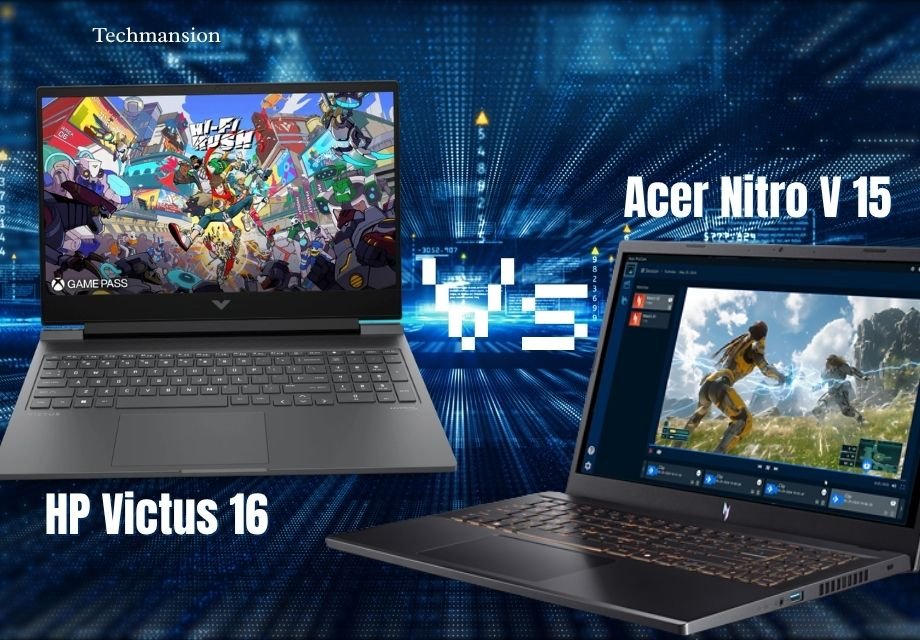
The HP Victus 16 vs Acer Nitro V 15 fight is the budget gaming laptop championship, and the names alone cannot settle it. Both ranges span several processor and graphics generations under one badge. Consequently, an RTX 4060 Nitro beats an RTX 3050 Victus, and the reverse is equally true. Furthermore, screen size and cooling separate the families consistently. Compare exact configurations, and this guide shows you how.
Key Takeaways
- Victus 16 means a 16.1-inch screen; Nitro V 15 means 15.6 inches.
- Both families offer 144Hz panels and RTX graphics across generations.
- The exact GPU tier decides gaming performance more than the brand does.
- Nitro models are often lighter; Victus models often run larger batteries.
HP Victus 16 vs Acer Nitro V 15: Screens and Size
Smartprix’s side-by-side of representative Victus 16 and Nitro V configurations shows the pattern clearly: a 16.1-inch panel against 15.6 inches, both at 144Hz in these examples, with weights around 2.48kg for the Victus and 2.1kg for the Nitro. The Victus screen suits desk gaming and split-screen work. The Nitro travels more easily in a bag. Brightness and colour coverage vary by exact model, so verify the panel, not just its size and refresh rate.
Performance: Read the GPU First
Across generations, these families have shipped with graphics from GTX 1650 and RTX 2050 class up to RTX 4060 and beyond, paired with Intel or AMD processors. That spread dwarfs any brand difference. A newer GPU with more video memory wins more games than a newer CPU does. RAM and storage also vary: insist on 16GB of RAM and at least a 512GB SSD for modern titles. Additionally, check the GPU’s wattage where listed, because the same chip performs differently under different power limits.
Cooling, Battery, and Daily Use
The larger Victus chassis generally gives cooling more room, and many configurations carry bigger batteries, around 70Wh in representative models. The Nitro’s smaller body runs warmer and louder under sustained loads in many reviews, though exact results vary by configuration. For lectures and travel, the Nitro’s lighter weight and smaller footprint help daily. For long desk sessions, the Victus ergonomics and screen help more. Keyboard feel and port layout differ too, so a hands-on check is worthwhile.
Verdict: Buy the Configuration, Not the Badge
Shortlist one exact model from each family at your budget. Compare GPU tier and wattage first, then screen quality, RAM, and storage. Additionally, buy the one offering the stronger graphics card at the same price, whichever badge it wears. On level configurations, pick Victus for desk play and Nitro for portability.
In short, the badge starts the search and the graphics card finishes it. Never pay Victus money for Nitro-tier silicon, or vice versa.