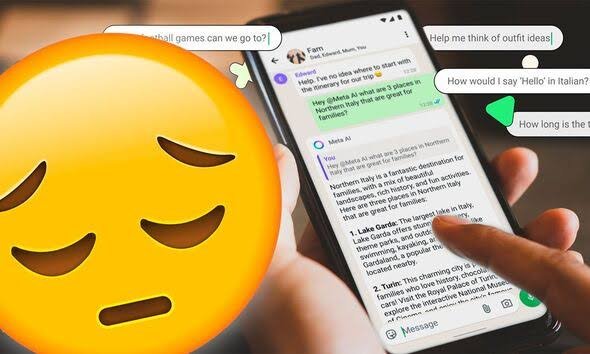
Many readers want to remove Meta AI from WhatsApp chats completely, and the honest answer is that you cannot. Meta builds the assistant into the app with no off switch. Consequently, this guide covers what you can actually control. Furthermore, it separates real controls from the fake tricks circulating online.
Key Takeaways
- There is no official way to remove or disable Meta AI in WhatsApp.
- Mute the Meta AI chat, then archive or delete the conversation.
- Use /reset-all-ais to delete Meta AI’s copy of your chats with it.
- Turn on Advanced Chat Privacy in sensitive chats to block AI features there.
The Honest Answer: It Cannot Be Removed
WhatsApp describes Meta AI as an optional service, meaning you choose whether to talk to it. Its entry points, however, stay in the interface. This guide to what you can and cannot disable in Meta’s apps confirms no help centre documents a removal switch as of October 2026. Ignore any app or mod promising removal. Unofficial WhatsApp mods risk account bans.
Mute, Archive, or Delete the Meta AI Chat
Open your conversation with Meta AI and tap its name at the top. Choose Mute, then Always, where that option appears. Next, return to the chat list and archive or delete the conversation. Archiving hides it while keeping history. Deleting removes your copy permanently. Either way, the assistant itself remains installed in WhatsApp.
Reset What Meta AI Remembers
Deleting a chat removes it from your phone, not from Meta AI’s memory. To erase that copy, open the Meta AI chat and send /reset-ai for one chat, or /reset-all-ais for all of them. WhatsApp documents these commands for exactly this purpose. Afterwards, avoid mentioning @Meta AI inside ordinary chats. Only messages that mention it, or that you share with it, reach the assistant.
Protect Individual Chats With Advanced Chat Privacy
Open an important chat, tap its name, and enable Advanced Chat Privacy where available. This blocks others in that chat from using its messages with AI features. It also limits exporting and auto-downloading from that conversation. Rollout varies by account and version, so update WhatsApp first. This is control per chat, not removal, but it is real control.
In short, you cannot remove Meta AI, but you can mute it, hide it, reset its memory, and shield sensitive chats. That is the complete, honest toolkit.