Google Search will now read your wallet, your documents and your Gemini chats
Google announced today that Search’s AI Mode can connect to Google Wallet, Drive and the Gemini app — so your answers can finally know what you spend, what you’ve written and what you’ve already asked. It is opt-in, and the Wallet part starts rolling out today.
Key facts
- The announcement: Google announced on Monday, November 23, that Personal Intelligence in Search’s AI Mode is expanding to Google Wallet, Google Drive and the Gemini app, according to Google’s own blog, written by Robby Stein, Vice President of Product for Google Search.
- Google Wallet — rolling out today: you can opt in to connect Wallet to Personal Intelligence in AI Mode now. It can read your spending and your linked cards, but it cannot move, manage or invest your money.
- Google Drive — coming in the next few weeks: AI Mode will be able to take your Docs, Sheets and PDFs into account when it answers.
- Gemini app — coming in the next few weeks: context will be shared between the Gemini app and AI Mode in Search, in both directions.
- Already connected: Gmail, Calendar and Photos could already be linked to Personal Intelligence. Wallet, Drive and Gemini join them.
- Your choice: every connection is opt-in, nothing is turned on by default, and you can switch any of them off at any time.
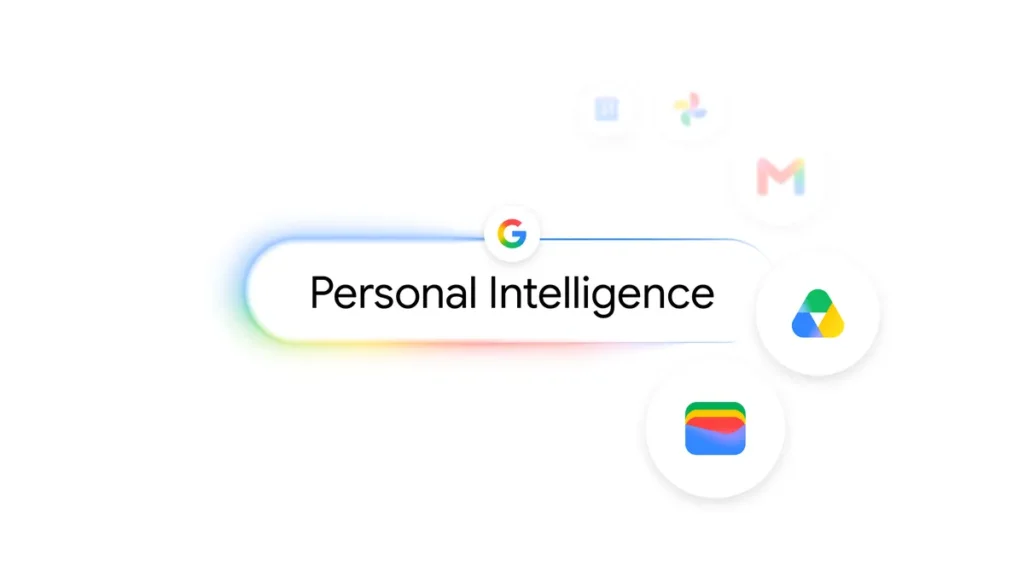
Google Search is about to get a lot more personal — literally. The company announced today that its Personal Intelligence feature in Search’s AI Mode can now connect to three more of your Google apps: Google Wallet, Google Drive and the Gemini app. The idea is simple: instead of answering from the web alone, Search will answer with your own life in mind — your spending, your documents and your earlier conversations.
The Wallet connection starts rolling out today. Drive and the Gemini app follow in the coming weeks. All three are opt-in, and Google stresses that you choose if and when to connect them — and you can turn them off again at any time.
What is live now — and what is still coming
| Connection | Status | What Search can do with it |
|---|---|---|
| Google Wallet | Rolling out today, November 23 | Map your financial milestones, find ways to trim everyday spending, and get the most from your credit card benefits — cash-back categories, travel perks and reward points, based on the cards linked through Wallet |
| Google Drive | Coming in the next few weeks | Take your Docs, Sheets and PDFs into account — for example, a personalised preparation plan ahead of tax season, built from the documents you actually have |
| Gemini app | Coming in the next few weeks | Share context both ways between the Gemini app and AI Mode in Search — explore an idea in Gemini, and AI Mode will already have that foundation to build on, and vice versa |
| Gmail, Calendar, Photos | Already live | Already connected to Personal Intelligence, tailoring answers with your email, schedule and photos |
Your Wallet: what AI Mode can — and cannot — do
The Wallet connection is the one that starts today, and it is also the one that needs the clearest explanation, because it touches your money. Here is the deal, in Google’s own words: if you choose to connect your Wallet, AI Mode can only read information from your accounts. It cannot move, manage or invest your money.
What it can do is genuinely useful for everyday life. Google says you can map out your financial milestones and identify ways to trim everyday spending, and you can squeeze more from the cards you already carry — for example, optimising cash-back categories, travel perks and reward points based on the cards linked through Wallet. Ask which card to use for a purchase, and AI Mode will actually know what is in your wallet.
That is a big step beyond what the Gemini app already does. Google added a Wallet extension to Gemini back in September, but that lived inside the Gemini app. This move puts the same kind of access directly into Search itself — the place most people start when they are about to spend money.
Drive and Gemini: your documents and chats join the search
Drive is the connection that could change how Search feels the most. Google’s example is deliberately ordinary: the information you need to start a project or make a big decision is often scattered across your Docs, Sheets and PDFs. With Drive connected, AI Mode can pull that context together — Google’s example is a personalised preparation plan ahead of tax season, built from your own files rather than a generic checklist.
The Gemini app connection works in both directions. Once it goes live in the coming weeks, AI Mode will be able to access your Gemini chats, what you have shared with Gemini — photos, files, audio or video attachments, and screens you have asked about — plus the associated insights and locations. And because the connection runs both ways, something you start in Search will carry over when you open Gemini, instead of starting from scratch. TechCrunch notes this is the point of the whole update: Google is putting the wealth of data already inside its ecosystem to work in Search.
There is one more change arriving with the update, and it affects everyone, whether you connect anything or not. Google says AI Overviews and AI Mode will start giving more personally relevant responses based on your recent search context — so if you have been researching and planning a trip, you can pick up where you left off in a new search thread without repeating yourself. As always, you can adjust or turn off personalisation at any time in your Search settings.
How to turn it on — and how to stay in control
Google is also adding a way to see what Search knows about you. Soon, a “Personalization” icon will appear below tailored responses, letting you view the context AI Mode used. And if something is wrong, you can correct it in the conversation itself — Google’s example is telling AI Mode, in-thread, “I’m no longer a vegetarian.”
That matters, because this is the most personal data Google has ever asked Search to read. Until now, Personal Intelligence in AI Mode covered Gmail, Calendar and Photos. Wallet adds your money. Drive adds your documents. The Gemini app adds your conversations. It is a much bigger window into your life than email and calendar alone — which is exactly why Google is making every connection opt-in rather than automatic.
The privacy question Google has not answered yet
The trade-off is real, and it is the same one every personalised AI feature asks you to make: better answers in exchange for more access. Google’s case is that the answers get meaningfully better — a spending plan built from your actual spending, a tax plan built from your actual documents — and that the controls are genuinely in your hands. The counter-argument is that once your wallet and your files are inside Search, they are inside Google’s ad machine too, and the company has not closed that door.
For now, the practical advice is simple: connect Wallet if the card and spending help appeals to you, and hold off on Drive and Gemini until they arrive — then decide with the full picture in front of you. Nothing here is switched on for you, so there is no rush and no penalty for waiting.
Why this matters
This is Google’s clearest move yet to make Search personal rather than just smart. AI Overviews already reach more than two billion people a month, and AI Mode is where Google is building its answer to ChatGPT and the rest. The company that knows your email, your calendar, your photos, your spending, your documents and your AI chats can answer questions no general-purpose chatbot can — “which card should I use for this flight?” or “what did I decide about the kitchen budget?” — because the answer is already in your data.
Whether that is a future you want depends on how much you trust Google with the answer. The tools are opt-in, the off switch is real, and the Wallet connection cannot touch your money. But the direction of travel is unmistakable: Search is no longer just searching the web. It is searching you.
One more thing from today, for iPhone owners: MacRumors reports that Google is also bringing Google Wallet to iOS in the United States, so you will be able to make payments and manage purchases across Google services on an iPhone too.
Frequently asked questions
Can Google Search’s AI Mode move my money if I connect Wallet?
No. Google says AI Mode can only read information from your accounts if you choose to connect Wallet. It cannot move, manage or invest your money.
Is the Wallet connection turned on automatically?
No. Every Personal Intelligence connection is opt-in. You open Search Personalization, select Connected Apps, and choose which apps to connect. Nothing is switched on by default, and you can turn connections off at any time.
When do Drive and the Gemini app connect to Search?
In the coming weeks, according to Google. The Wallet connection starts rolling out today, November 23. The option to connect the Gemini app is already appearing, but the feature itself goes live in the coming weeks.
What can AI Mode see from my Gemini app?
Your Gemini chats, what you have shared with Gemini — such as photos, files, audio or video attachments, and screens you have asked about — plus associated insights and locations. The context is shared both ways between the Gemini app and AI Mode in Search.
Can I see what personal context AI Mode used for an answer?
Soon. Google says a “Personalization” icon will appear below tailored responses, letting you view the context AI Mode used — and you can correct it in the conversation, for example by telling it “I’m no longer a vegetarian.”
Will my Wallet and Drive data be used for ads?
Google has not said. Its privacy policy says data you let Search access can be used to personalise ads, and AI Mode already carries ads in some countries — but the company has not confirmed whether the new Wallet, Drive and Gemini data will feed the ads shown beside AI Mode answers.
Watch: Tech Mansion’s Josh breaks down how Apple is quietly winning the AI race — the same AI fight Google’s Search move is part of, with Gemini, Siri and on-device AI all chasing the same users.
Sources:Google — The Keyword (Robby Stein) · TechCrunch · 9to5Google · MacRumors · PPC Land (ads question)