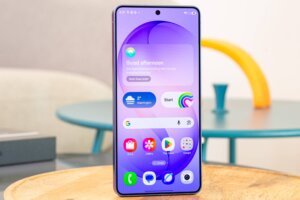
ChatGPT on Android could soon stop being just a chatbot you open and start being the assistant that actually runs your phone. Code hidden inside the latest version of the app points to phone calls, text messages, music controls and screen awareness — the everyday jobs that have kept Google’s Gemini ahead on Android — plus a way for OpenAI’s always-on agents, Dots, to become your phone’s default assistant.
Key facts
- The source: an APK teardown by Android Authority of ChatGPT for Android version 1.2026.328, published November 27, 2026.
- What the code points to: placing calls, reading and sending texts, looking up contacts, controlling music, and answering questions about what is on your screen.
- The big one: flags called “allowedWhileLocked” and “useDotAsAssistant” suggest a Dot could work from the lock screen — and become your phone’s default digital assistant.
- What is live today: nothing. None of these features is switched on, and OpenAI has not announced any of them as of November 28, 2026.
- The catch: unreleased code can change before launch, or never ship at all. Android Authority’s own warning is blunt: “These features may not ship.”
- Why it matters: if it ships, the biggest practical reason to keep Gemini as your default assistant on Android gets much weaker.
Unconfirmed — read this as a leak, not a launch: everything in this article comes from strings and settings found inside the app’s code, not from a working feature or an OpenAI announcement. Teardowns show what a company is building, not what it will release. Treat every feature below as “may”, not “will”.
What the ChatGPT code reveals
The clues come from permission prompts that are already in the app but not yet in use. Each new ability would need a standard Android permission, so you would have to approve it before ChatGPT could touch any of your data. Based on the strings, ChatGPT would be able to:
- Look up people in your contacts and read your recent call history.
- Place a phone call when you ask it to — “Let ChatGPT place phone calls from this phone when you ask.”
- Read and send SMS text messages.
- Control music through Android’s notification access — play, pause or skip tracks, and see the title and artist of what is playing.
- Use what is on your display as context for your questions, controlled by a “Use screen and app data” toggle.
There are limits, and they matter. Music control would only work on a playback session that is already running — ChatGPT could not open a music app and start a particular song for you. The strings also suggest it could check whether a command worked without talking over your audio to confirm it.
Screen awareness looks like it would refresh as you go. The code indicates the app would take a new look at the display each time you ask a follow-up question about it, so you would not have to take a screenshot and upload it yourself — which is what ChatGPT users do today.
A Dot could become your assistant — even on the lock screen
Several of the new permission strings mention a “Dot card”. That points to Dots, the always-on agents OpenAI introduced at DevDay on September 29, 2026. Dots run on OpenAI’s GPT-6 Astra model and get their own cloud computer and browser, so they can keep working after you close ChatGPT. OpenAI has also been adding new Dots capabilities, such as communication through iMessage and RCS, Wallet integration and Health integration.
So far, Dots are rolling out only to ChatGPT Pro and Business Premium subscribers in eligible markets, and new Dots are created in the ChatGPT desktop app or in a desktop web browser. Two configuration flags in the Android app suggest OpenAI wants Dots to play a bigger part on phones:
- “allowedWhileLocked” — hints that you could call up a Dot without unlocking your phone.
- “useDotAsAssistant” — suggests you could choose a specific Dot as your phone’s digital assistant. The long-press or swipe gesture that normally opens Gemini would hand your request to an agent with its own cloud computer instead.
The Dots features may stay limited to paid plans at first, since Dots are currently available only to Pro and Business Premium subscribers.
ChatGPT today vs what the code points to vs Gemini
ChatGPT can already be set as the default assistant on Android — OpenAI added the option in a beta update in early 2025, under Settings > Apps > Default apps > Digital assistant app. But once it is set, it can do little more than typed chats and Voice mode. It cannot call a contact, send a text or pause a song. That gap is the whole story.
| Job | ChatGPT today | What the code points to | Gemini today |
|---|---|---|---|
| Make a call | No | Yes — when you ask | Yes |
| Read and send texts | No | Yes | Yes |
| Look up contacts | No | Yes | Yes |
| Control music | No | Yes — play, pause, skip on what is already playing | Yes |
| Answer questions about your screen | Only with a screenshot you upload | Yes — fresh look per follow-up | Yes, “Ask about screen” |
| Default assistant | Yes, but limited to chat and voice | A Dot could become the default assistant | Yes, full assistant |
| Works from the lock screen | No | Possibly, for Dots | Yes |
Why it matters in the fight with Gemini
Gemini already does all of this, and Google is building task automation into Gemini on Pixel phones so the assistant can take actions on your behalf. On the Pixel 11 series, which launched in August, holding the side button opens Gemini by default. That deep, system-level integration is the reason many Android users who prefer ChatGPT’s answers have still kept Gemini as their default assistant — Gemini can actually run their phone.
If these features ship, that reason gets much weaker. That matters most for people who already pay for ChatGPT and prefer its answers but stayed with Gemini because it can call, text and control their phone. As PhoneArena puts it, a future ChatGPT update “could make Gemini on Android redundant”.
It is also the other half of OpenAI’s phone strategy. As we reported, OpenAI is building its own AI smartphone with a custom MediaTek chip, targeted at mass production in early 2027 — and that device is now at the centre of a courtroom fight, after OpenAI countersued Apple on November 27, accusing the iPhone maker of stealing its trade secrets and threatening the suppliers behind its AI devices. The Android app getting real assistant powers is the software side of the same plan: OpenAI wants its AI on your phone whether or not you buy its hardware.
The privacy trade-off
To use these features, you would have to give a third-party AI app your text messages, call history, contacts and screen content. That is the permission to think hardest about: reading texts hands an assistant your private conversations — and the one-time codes banks send by SMS.
The saving grace is that each ability sits behind its own Android permission prompt, so you could choose what to allow. You could allow media controls without giving ChatGPT access to your SMS, or allow calls while refusing texts. Nothing in the code suggests an all-or-nothing switch.
It is worth remembering the other side of the coin too: on iOS, Apple is opening Siri up to third-party AI in a similar way. A massive iOS 27 leak shows Apple designed its rebuilt Siri so users can completely replace Siri’s brain with GPT-5.6 or Claude — the same direction of travel, on the other platform. And in the background, Google’s own agent, Gemini Spark, already works in the background across Gmail, Docs and Sheets. The assistant war is now a fight over who gets to act on your phone, not just who answers best.
What happens next
OpenAI has given no timeline, and the code does not show whether these features will launch together, one at a time, or at all. The first sign of a launch will likely be the new permission prompts showing up in a ChatGPT update on the Google Play Store. We will report when OpenAI confirms the features or starts rolling them out — and if they arrive, the first thing to test will be whether a Dot really can take over from Gemini as the default assistant, lock screen and all.
Frequently asked questions
Can ChatGPT make calls and send texts on Android today?
No. Today ChatGPT on Android can be set as your default assistant, but it can only do typed chats and Voice mode. The calls, texts, music and screen features exist only as unreleased code in version 1.2026.328 of the app, found by Android Authority in an APK teardown.
What exactly did the teardown find?
Permission prompts and settings in the app’s code for looking up contacts, reading call history, placing calls, reading and sending SMS, controlling music through notification access, and reading the screen via a “Use screen and app data” toggle. It also found “Dot card” strings and two flags, “allowedWhileLocked” and “useDotAsAssistant”, pointing to Dots working from the lock screen and as the default assistant.
What are Dots?
Dots are OpenAI’s always-on AI agents, introduced at DevDay on September 29, 2026. They run on OpenAI’s GPT-6 Astra model and get their own cloud computer and browser, so they keep working after you close ChatGPT. They are currently rolling out only to ChatGPT Pro and Business Premium subscribers in eligible markets.
Will these features definitely ship?
No. Android Authority warns that unreleased features found in teardowns can change before launch, or never ship at all. OpenAI has not announced any of them and has given no timeline. The code proves OpenAI is building them, not that it will release them.
How is this different from Gemini?
Gemini already does all of this on Android — calls, texts, music, screen questions — and on the Pixel 11, holding the side button opens Gemini by default. The difference is choice: if ChatGPT ships these features, people who prefer ChatGPT’s answers would no longer have to give up a working phone assistant to use it.
Is my data safe if I turn these on?
Each ability sits behind its own Android permission prompt, so you can allow some and refuse others — for example, allow media controls without giving ChatGPT access to your SMS. But the features would hand a third-party app your texts, call history, contacts and screen content, so think carefully about which permissions you grant.
Watch: Tech Mansion on the AI assistant race.
Sources:Android Authority · TalkAndroid · Digital Trends · PhoneArena