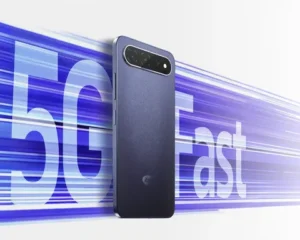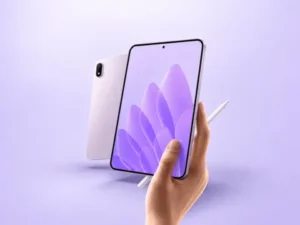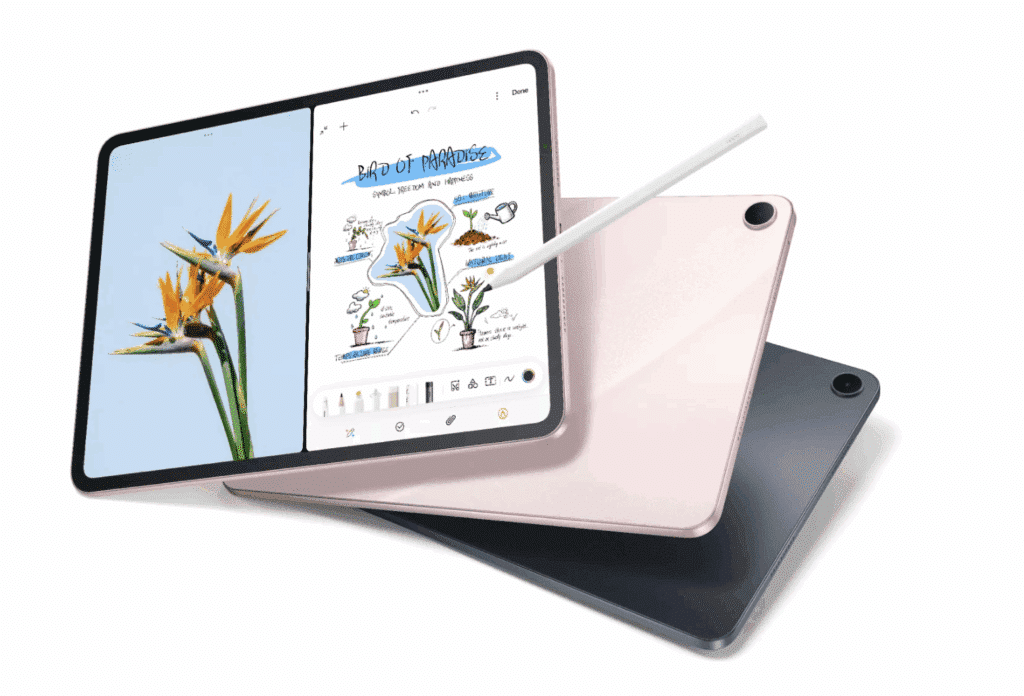
Oppo Pad 5 5G enters a crowded field where display quality, battery life, and software matter more than raw specifications, to deliver a premium-feeling tablet experience without asking buyers to pay flagship prices. At the core, the Oppo Pad 5 5G is a tablet that focuses on user-friendliness rather than flashy elements.
Let’s do a detailed Oppo Pad 5 5G review its specifications and performance.
Pros & Cons
Pros
- Large, smooth display designed for media and productivity
- Excellent Battery Life per published tests
- Premium metal construction
- Reliable everyday performance
- Unified UI experience with ColorOS.
Cons
- Productivity accessories are not always included.
- Software provides some competition.
- Cameras are functional rather than exceptional
- Will NOT replace a laptop for intensive work or productivity purposes
Price & Availability
In this Oppo Pad 5 5G review we found that Oppo Pad 5 5G falls into the mid-range category of tablets. The price, starting at approximately €399, is different in Europe and elsewhere because of the storage configuration and the Wi-Fi or 5G model. In some of its markets, Oppo has also released a Matte Display Edition, which is geared towards those who spend a lot of time reading or making handwritten notes.
The pricing puts it in direct competition with the Xiaomi Pad series, Samsung Galaxy Tab FE and OnePlus Pad tablets.
Design
The Oppo Pad 5 looks and feels more expensive than its price suggests.
The slim aluminium chassis, the symmetrical bezels and the simple design lend it the look of a top-notch productivity tablet, and not a cheap media gadget. While there isn’t anything particularly adventurous about the design, that’s arguably part of its appeal. It’s designed to be both work-ready and comfortable for extended streaming hours.
It is the optional Matte Display Edition that is particularly intriguing.
Oppo has not been as concerned with the brightness or colour accuracy, but has worked to minimise reflections and the strain on your eyes during long reading sessions. I highly recommend this matte finish as it is very noticeable when in bright light, but also gives a more paper-like feel to the handwriting with the stylus. It might mean the difference for students and workers who spend hours reading PDFs or marking documents.
Read Also: Oppo Pad 5 Pro Launched in China: A Flagship Tablet with Premium Features
Setup
Overall, ColorOS has matured into one of the slickest tablet operating system faces around Android and I think Oppo Pad 5 might reflect this level of maturity.
Oppo isn’t packing its apps with duplicate applications or extraneous functionality; instead, users will be presented with more usable multitasking features such as split-screen apps, floating windows, drag-and-drop content and cross-device content sharing with compatible Oppo smartphones. These are things that get better with age the more friction they remove rather than the more they add.
Oppo’s setup process is also very simple, particularly for current Oppo users, with account syncing and device continuity features.
Performance
Oppo Pad 5 5G performance review Where expectations must be kept in check is in performance.
The Oppo Pad 5 comes with various hardware setups, but Oppo Pad 5 performs well in regular usage scenarios. The web, streaming, note taking, documents editing and multitasking seem to operate pretty smoothly without any noticeable slowdowns.
In this Oppo Pad 5 5G performance review we found that gaming is also looking good. Although It’s not marketed as a gaming tablet, but titles such as Genshin Impact, PUBG Mobile can be enjoyed with reasonable graphics settings. Rather, Oppo seemingly focused on maintaining responsiveness rather than going for the top marks.
Features
Oppo has attempted to transform the Pad 5 into a more functional gadget than just a media tablet. The colorOS features split screen functionality, floating windows, drag and drop between compatible applications and cross device integration with Oppo smartphones. These are not only ‘checkbox’ functions – they’re some of the reasons the tablet isn’t just a device for entertainment, but one for everyday use.
The stylus is also available and looks like a nice add-on if you are in need of taking notes. But, there isn’t a broad range of a first-party keyboard accessory available in some markets, which slightly restricts the Pad 5’s appeal as a serious laptop alternative.
Battery
One aspect of the Oppo Pad 5 that is often given high marks is its battery life.
This Oppo Pad 5 5G review proves that yhe tablet has a battery capacity of just over 10,000mAh, and reviewers say it can hold up for much longer than a full day of use. The battery life was measured at about 15-18 hours on screen and standby battery drain was impressively low during some testing conducted by The Pad 5. This endurance is ideal for people who charge every few days, like students or commuters, or for those who don’t like to charge every night.
Charging is less impressive.
In some countries, Oppo has a 45W charger, but the tablet can charge at only 33W. However, it takes almost two hours to charge, so while it’s not fast enough to be frustrating, it’s not the fastest performance in 2026 either.
Software
ColorOS continues to be one of Oppo’s strongest assets.
Although the interface adapts to a larger display. The split screen, floating windows, and picture-in-picture video operate within their own right, smoothly allowing for multitasking in use without any awkwardness. These features should make a difference to anyone who watches a lecture and takes notes or surfs a document along with it.
The most important issue is software longevity.
It’s good to hear Oppo will support two Android OS updates and three years of security updates, although this is not as many as some of its competitors that provide much longer support. If you are thinking of purchasing a tablet and considering that you will have it for 4 or 5 years, then this is worth taking into consideration before buying.
Comparisons
The Oppo Pad 5 enters one of the most competitive parts of the Android tablet market.
Compared with the OnePlus Pad Go 2, the two tablets share similar hardware foundations, making software support and ecosystem integration the biggest differentiators. OnePlus currently promises longer update support, giving it an advantage for buyers thinking several years ahead.
Against Samsung’s Galaxy Tab FE range, Oppo appears to offer a cleaner software experience and stronger value for media consumption, while Samsung still benefits from a larger accessory ecosystem and longer software commitment.