The must-have USB-C accessories for your iPhone are the ones that solve a weekly problem, not a drawer of adapters. Start with a fast cable, reliable storage, and a way onto a bigger screen. Consequently, this guide ranks accessories by real use. Furthermore, it follows Apple’s own compatibility guidance.
Key Takeaways
- Buy one USB 3 cable first; the in-box cable is only USB 2 speed.
- Add external storage or an SD reader if you shoot lots of video.
- A USB-C to HDMI or multiport adapter unlocks TVs and monitors.
- Use certified accessories and a powered hub for hungry drives.
Start With Cables, Chargers, and a Hub
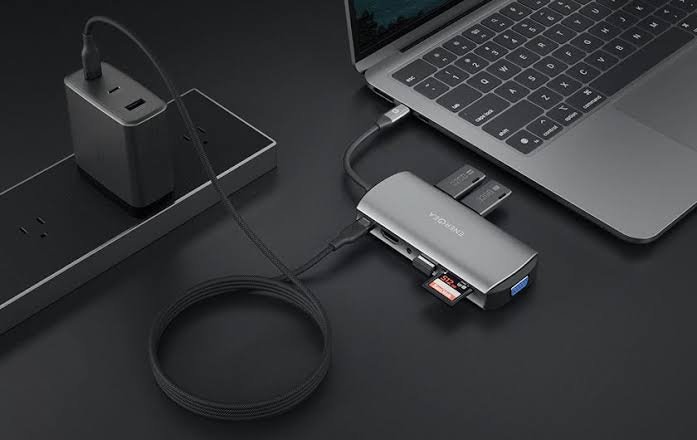
Your foundation is a braided USB 3 cable rated for fast data, plus a compact GaN charger for travel. Apple’s USB-C guide notes that high-resolution displays need a cable supporting USB 3.1 or higher. A small multiport hub adds HDMI, USB-A, and SD slots in one piece. Additionally, choose accessories from makers who state exact wattage and data speeds, not vague fast-charge claims.
Add Storage and Card Readers for Creators
A pocket SSD is the best upgrade for anyone recording long video, especially on Pro models that record ProRes externally. An SD and microSD reader moves camera files without a laptop. Back up the drive when you return home, because a portable SSD is easy to lose. Format external drives as Apple directs for your workflow, and test recording before a paid job. Storage accessories earn their cost the first time they save a shoot.
Connect Displays, Audio, and Controls
A USB-C to HDMI adapter connects hotel TVs, projectors, and monitors at up to 4K and 60Hz on supported models. USB-C headphones and a small USB microphone improve calls and recordings immediately. A wired controller removes Bluetooth delay for compatible games. Ethernet adapters help in offices and hotels with weak Wi-Fi. Buy these by need: presenters need HDMI first, creators need audio and storage first.
What to Skip and How to Buy Safely
Skip unbranded hubs with impossible port counts and no power specifications. Avoid magnetic adapters that strain the port, and never force a connector that does not seat cleanly. Keep receipts, because accessory compatibility varies by iPhone model, especially around display output. Finally, carry one pouch with cable, hub, SSD, and adapter, so the kit is actually with you when it matters.
In short, cable, charger, hub, storage, and one display adapter cover most owners. Buy certified, buy by need, and test the kit early.