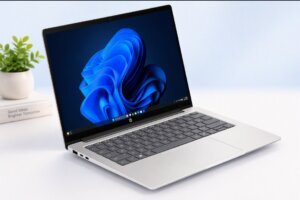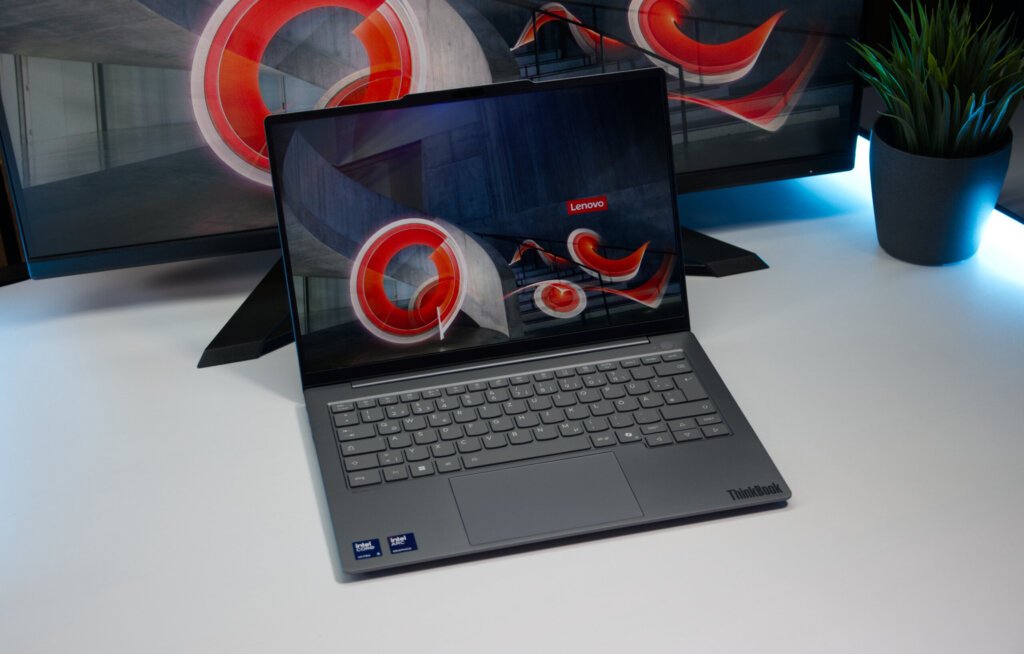
The Lenovo ThinkBook 14x is a sleek business laptop featuring a lightweight build, up-to-date hardware, and a high refresh rate display. It’s for those who need a portable laptop that they can use for everyday tasks, multitask and even some heavy-duty apps.
Specifically, Lenovo has been able to maintain the laptop’s weight under 1kg in some configurations, even with the Intel Core Ultra processor, integrated Intel Arc graphics, and 120Hz screen.
Here is what you need to know.
Design
The ThinkBook 14x has a simple and professional design. The top and bottom of the laptop are constructed from aluminium, which provides a more premium feel, but also keeps weight to a minimum.
The 14x ILL is about 312 x 217mm and is either 12.9mm or 15.6mm thick. Certain models begin at only 990 grams, which makes it one of the lighter 14-inch laptops available.
If you use your laptop often, for work, school, meetings, or cafés, that low weight makes a big difference!
The laptop comes in one design – Luna grey, which gives it a very business-like look and feel, rather than the aggressive design of gaming laptops.
Display
One of the best things is the 14″ display.
The Lenovo features a 16:10 aspect ratio, 1920 x 1200 IPS panel, 400 nits of peak brightness, 100% sRGB color gamut and 120Hz refresh rate.
The 16:10 aspect ratio is a productivity advantage since the screen offers more vertical space than a standard 16:9 screen. This will make it possible to view more of a webpage, document or spreadsheet without scrolling too much.
It also has a refresh rate of 120Hz, which makes it easier to move around during everyday activities. Panning and scrolling through websites, moving windows around and navigating the Windows interface can feel smoother on the 60Hz as opposed to a standard laptop.
The aluminium chassis, compact size and 120Hz refresh rate of the display were recognised in a recent independent review as one of the ThinkBook 14x’s strengths.
Read More: Lenovo Yoga 9i 2-in-1 Aura Edition Review
Performance
The ThinkBook 14x ILL can be equipped with Intel’s Core Ultra 7 266V processor.
This chip has eight cores and can reach up to 5.0GHz. It also packs Intel Arc 140V integrated graphics and up to 48 TOPS of Intel AI Boost NPU.
This is sufficient for tasks like writing, programming, multitasking, video calls, and Microsoft Office for everyday use.
The laptop is also more powerful for light creative tasks and some gaming given the integrated Arc graphics, when compared with older laptops with basic integrated graphics.
This is still an ultraportable laptop with built-in graphics, however. It should not be considered an alternative to a separate NVIDIA or AMD GPU equipped gaming computer.
RAM and Storage
When purchasing ThinkBook 14x, one of the things to consider is its memory.
The setup that Lenovo has looked at comes with 16GB of LPDDR5X-8533 RAM and a 1TB PCIe 4.0 NVMe solid-state drive.
The SSD provides fast storage for Windows, applications and files.
The laptop also has two M.2 storage bays to provide additional space flexibility to the laptop as opposed to extremely thin laptops. The drawback is that this RAM can’t be upgraded once it is purchased.
So, it is crucial that you are aware of the amount of RAM you require prior to purchase. Many will find 16GB enough for normal office tasks, browsing and programming. Those who routinely use very large datasets, virtual machines or more sophisticated creative uses may want to think carefully about their needs.
Keyboard and Touchpad
Lenovo has come up with a backlit keyboard and a haptic touchpad for the ThinkBook 14x.
The keyboard itself is made to be productive and doesn’t look like a gaming laptop keyboard.
Another benefit of the haptic touchpad is the smooth surface it allows for navigation, which is helpful for a compact laptop without any mechanical click mechanism.
The keyboard and touchpad were comfortable for everyday use, a consideration for a laptop designed for professionals and mobile users, an independent test found.
Ports and Connectivity
Lenovo has packed in a handy array of ports, despite the slim profile.
The ThinkBook 14x ILL has two USB-A ports, two USB-C ports, an HDMI 2.1 port and a 3.5mm headphone/microphone jack. The USB-C ports are capable of data transfer, power delivery and DisplayPort.
It comes with Wi-Fi 6E and Bluetooth 5.3 support, too.
The missing element here is Ethernet built-in. If you need a wired network connection, you will need an appropriate adapter or docking solution.
Also, it does not have an SD card reader built into the device, which could be important to photographers and video makers who often move files from their cameras.
Camera and Audio
The laptop features a 1080p FHD camera with an IR sensor and a privacy shutter.
The IR camera can be used with Windows Hello facial recognition, and the physical privacy shutter provides an easy on/off button for the camera when it’s not in use.
The 1080p camera is helpful for meetings or video calls if the laptop you’re using has a low-resolution webcam, such as those on some budget laptops.
The ThinkBook 14x also has stereo speakers (with Dolby Atmos support) and a dual-microphone array.
Battery Life
The ThinkBook 14x has a 54.7Wh battery and comes with a 65W USB-C power adapter.
Actual battery life will depend heavily on screen brightness, workload, wireless connectivity and the applications you are running.
The 120Hz display may also draw more power than a 60Hz display, but the laptop can adjust its refresh rates based on its configuration.
If you’re using the device for regular office use, surfing the web and video calls, battery life should be good for an entire day of work, but those who use more intensive applications should keep a charger within easy reach.
Lenovo ThinkBook 14x Review: Worth Buying?
The Lenovo ThinkBook 14x review highlights how Lenovo has created a laptop for mobility without compromising on performance.
The major highlight is the lightweight aluminium build, 120Hz 14-inch display, modern Intel Core Ultra processor, fast SSD, handy port options, and good input options.
The biggest limitation is the soldered RAM. Since the memory cannot be upgraded, buyers should choose their configuration carefully.
The lack of built-in Ethernet and an SD card reader may also matter to some professionals, although USB-C adapters and docks can solve those problems.
Final Verdict
The Lenovo ThinkBook 14x review comes down to a simple idea: this is a laptop for people who want a lightweight machine that still feels like a proper work computer.
The 120Hz display makes everyday use smoother, while the Core Ultra processor and Intel Arc graphics provide enough performance for office work, programming, multitasking and lighter creative workloads.
It is not a gaming powerhouse, and the soldered RAM means you cannot upgrade the memory later. But for students, professionals, remote workers and people who travel frequently, the combination of a sub-1kg design, 14-inch screen and modern hardware makes the ThinkBook 14x an interesting option.
If portability and everyday productivity are your priorities, this is a laptop worth considering.