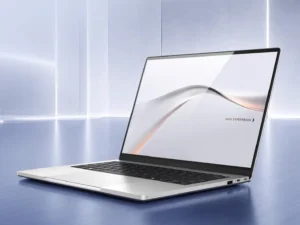
The Dell Inspiron 15 specifications change completely between its Intel and AMD versions. Consequently, this guide has been rebuilt around the current 3530 and 3535 models. Furthermore, one screen option quietly ruins an otherwise good buy. Here is what to check before paying.
Key Takeaways
- Inspiron 15 3530 runs 13th-generation Intel Core U chips.
- The 3535 twin uses AMD Ryzen 7000 U-series processors.
- Avoid the HD TN panel; choose Full HD, ideally 120Hz.
- Batteries run 41Wh or 54Wh depending on configuration.
Dell Inspiron 15 Specifications: Two Families
Dell’s Inspiron 15 3530 and 3535 technical specifications sheet lists both processor families precisely. The Intel range runs from the i3-1305U to the i7-1355U. Additionally, the AMD range climbs to the Ryzen 7 7730U. Consequently, the model number decides the machine entirely.
The Screen and Battery Decisions
Base models ship with a dim 1366×768 TN display. Furthermore, that panel looks washed out at almost any angle. Choose the Full HD panel, which also unlocks 120Hz on some builds. Additionally, the larger 54Wh battery suits students away from sockets. These two choices shape daily satisfaction most.
Everyday Performance and Value
Integrated graphics handle documents, browsing, and streaming comfortably. Furthermore, some Intel builds add an entry GeForce MX550 card. Memory and SSD sizes vary, so confirm both before comparing prices. Additionally, a numeric keypad serves spreadsheet-heavy users well. This is honest, mainstream computing without premium pricing.
Verdict: Right Panel, Right Price
An Inspiron 15 with the Full HD screen remains strong value. However, the HD-panel version should be discounted heavily or skipped. Therefore, verify the panel, processor family, and battery size. Additionally, buy from sellers offering written warranties. Configured well, it covers school and office work for years.
In short, check the panel first. Everything else follows.