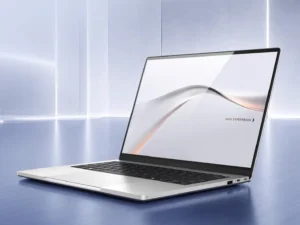
Are AI laptops actually useful, or is the AI label just 2026’s favourite sticker? Consequently, this guide has been rebuilt on what NPUs measurably do today. Furthermore, the honest answer is narrower than the marketing — and still worth knowing. Here is the verdict.
Key Takeaways
- Copilot+ means 40+ TOPS NPU, 16GB RAM and 256GB storage minimum.
- The NPU’s real win is efficiency: call effects and captions at low power.
- TOPS does not predict chatbot speed; RAM and bandwidth decide that.
- Cloud AI runs identically on a non-AI laptop with a browser.
Are AI Laptops Actually Useful? What the NPU Really Does
A 2026 guide asking whether the NPU is worth it finds the neural processor accelerates a narrow slice of work: Windows Studio Effects, live captions and noise suppression. Additionally, it does so at a fraction of CPU or GPU power draw. Consequently, video calls are where buyers feel the difference daily.
Where the AI Label Misleads
Popular local-model tools still run on CPU or GPU, not the NPU. Furthermore, token speed is memory-bound, so RAM capacity and bandwidth beat the TOPS headline. A laptop with 8GB of RAM and a big TOPS number is a poor AI machine. Specifically, buy 32GB if you plan local models. Therefore, spec the memory first, the badge last.
Who Genuinely Benefits in 2026
Remote workers gain cleaner calls and longer battery during AI-heavy days. Additionally, creators gain fast background effects in supported apps. Students gain live transcription of lectures, on-device and private. However, most office work feels identical on a good non-AI laptop. Therefore, the AI premium only pays for specific habits.
Verdict: Useful, Not Essential — Yet
An AI laptop is a better laptop first and an AI machine second. However, paying a premium purely for TOPS is a mistake. Therefore, choose screen, keyboard, RAM and battery first, then welcome the NPU. Additionally, Copilot+ at a discount is a genuinely good buy.
In short, the NPU helps calls and battery. The laptop still has to be good.