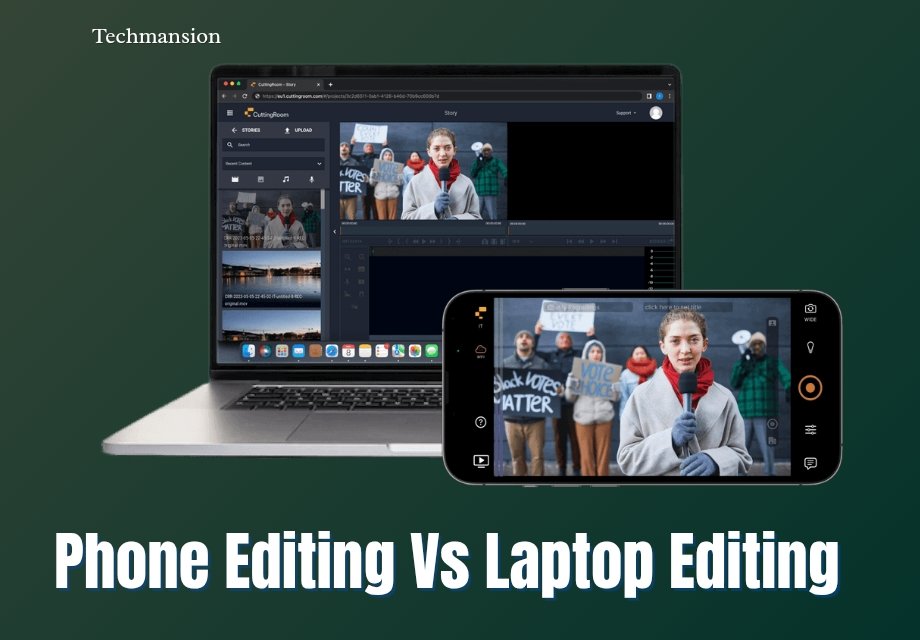
If you create content in 2026, you’ve probably asked yourself: Phone Editing Vs Laptop Editing — which one is actually better? With smartphones becoming more powerful and laptops still dominating professional workflows, the gap between the two is closer than ever. Whether you’re editing videos, photos, or social media content, your choice can affect your speed, quality, and overall productivity.
In this guide, I’ll break down Phone Editing Vs Laptop Editing in a simple, practical way. You’ll see the real strengths, weaknesses, and when each option makes sense—so you can choose what works best for you, not just what’s trending.
Phone Editing: Convenience, Speed, and On-the-Go Creation
Phone editing has transformed enormously. Phones in 2026 are able to perform all activities that needed entire desktop systems. VN Editor and other apps such as CapCut and Lightroom Mobile have now become rather advanced in terms of AI editing, background removal, color grading, and even 4K video exports.
Convenience is The greatest benefit in the Phone Editing Vs Laptop Editing. Your phone is always with you. It is possible to shoot, edit and publish content within minutes. This comes in handy particularly to social media makers who require time and regularity.
Simplicity is another good attribute. Mobile applications are user friendly. It does not require in-depth technical expertise to achieve tremendous results. Drag, drop, trim, add effects – done. In the case of novices, this is a big barrier to entry.
Speed is also underrated. Phones are frequently more rapid than laptops when it comes to making quick edits such as Instagram reels, Tik Tok videos, or basic photo editing. Files do not have to be moved or software installed.
Nevertheless, it has its restrictions. Fine editing may be challenging in small screens. Long sessions may also be a problem in battery life. And despite being powerful, phones still cannot withstand complicated tasks such as multi-layer video editing or the ability to render large files.
Phone editing is most effective in:
- Social media content
- Quick edits
- Beginners and casual creators
- On-the-go workflows
Laptop Editing: Power, Precision and Professional Results.
Laptops continue to win the Phone Editing Vs Laptop Editing debate when it comes to raw performance. Laptops are configured with the heavy-editing features with the powerful processors, huge RAM, and dedicated GPUs.
Precision is one of the greatest strengths. The bigger screen gives you the ability to see details clearly, be it when colour grading a video or when you are retouching an image. Add the accessories such as a mouse or stylus and you have much finer control of editing.
Software is another big win. Applications such as Adobe Premiere Pro, Final Pro, and Photoshop have highly developed functions that cannot be fully matched by the mobile applications. These involve multi-track timelines, sophisticated effects, high-resolution color correction as well as intricate editing of audio.
On laptops, efficiency of the workflow is also improved. You are able to handle files comfortably, collaborate with other external storage, and multitask among the applications. As an example, it is possible to edit a video and have notes or scripts next to each other.
Nonetheless, laptops are somehow less convenient. They are not necessarily available at all times when the urge to be inspired hits. The setup time is also more cumbersome and portability though better, is not a match to the phone.
Overall, laptop editing can be used in:
- Video/Photo editing by professionals.
- Documentaries (YouTube, long-form content).
- Complex projects
- Creators that need complete control and flexibility.
Key Differences: Performance, Workflow, and Flexibility
In the comparison between Phone Editing Vs Laptop Editing, three major factors emerge, which are performance, workflow, and flexibility.
Performance:
It is evident that laptops dominate in performance. They do not slow down when dealing with huge files, high-resolution videos or complicated cuts. Phones have enhanced though they have difficulties accommodating the heavy workloads. A laptop is safer should you be editing a 4K or 8K video on a regular basis.
Workflow:
Phones have an advantage in speed and ease. You are able to shoot, edit and publish using a single device. It is ideal in real time content creation. Laptops, on the contrary, have a more organized workflow. You are able to sort files, work with numerous tools and be able to work on larger projects more efficiently.
Flexibility:
This is where it interesting comes in. The phones are not bound by location, you can edit wherever you are. Laptops are versatile when it comes to being able to do almost anything. Then it is time to ask: Do you need mobility or power?
The other notable consideration in Phone Editing Vs Laptop Editing is learning curve. It is simpler to do mobile editing and the laptop editing is time consuming but more in-depth.
Phone editing is a good choice in case you are concerned about speed and consistency. However, in the event you require a decent output and creative liberty, the laptops remain superior.
Decision made at the end of it all: Which one should you go with in 2026?
Phone Editing Vs Laptop Editing- So what is the bottom line?
It depends on your goals. Your phone is more than sufficient when you create short-form content, require speed, and appreciate convenience. However, to achieve a more professional level of work and extensive edits and long-term development, a laptop is the more appropriate choice.
The smartest creators use both in 2026. Make edits on your phone and complete the edits on your laptop when necessary. The speed and power in that hybrid method, not compromised.
Frequently Asked Questions
1. Is phone editing good enough for professional work?
Yes, for social media content and basic projects. But for high-end production, laptops are still better.
2. Which is faster: phone or laptop editing?
Phones are faster for quick edits. Laptops are faster for complex projects.
3. Can I edit 4K videos on a phone?
Yes, but performance depends on your device. It may lag during heavy editing.
4. What’s the best approach to Editing in 2026?
Use both. Start on your phone for speed, finish on your laptop for quality.