If you’ve ever gone to shop for a keyboard as a creator, writer, student, or professional, you know how confusing it can be. There are so many options — wireless vs wired, mechanical vs scissor switches, customizable vs standard layouts. Lately, two contenders keep popping up in conversations: the Logitech MX Keys Mini vs Keychron K Pro Series. On paper, they both look great. In practice, though? They deliver very different experiences.
In this article, I’ll walk you through both keyboards — from design and typing feel to connectivity and best use cases — so you can decide which one suits your needs.
Meet the Contenders
We will get down to details, but in the meantime, we will briefly outline each keyboard:
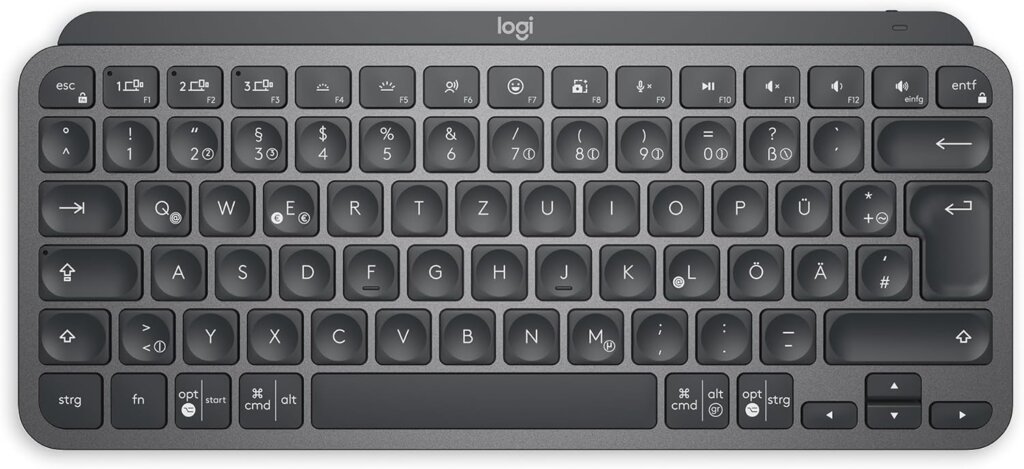
Logitech MX Keys Mini: This is a small, high quality wireless keyboard that is built to be efficient and comfortable with multiple devices and workflows. It is not mechanical but it relies on scissor switches design to replicate the laptop typing experience with intelligent capabilities.
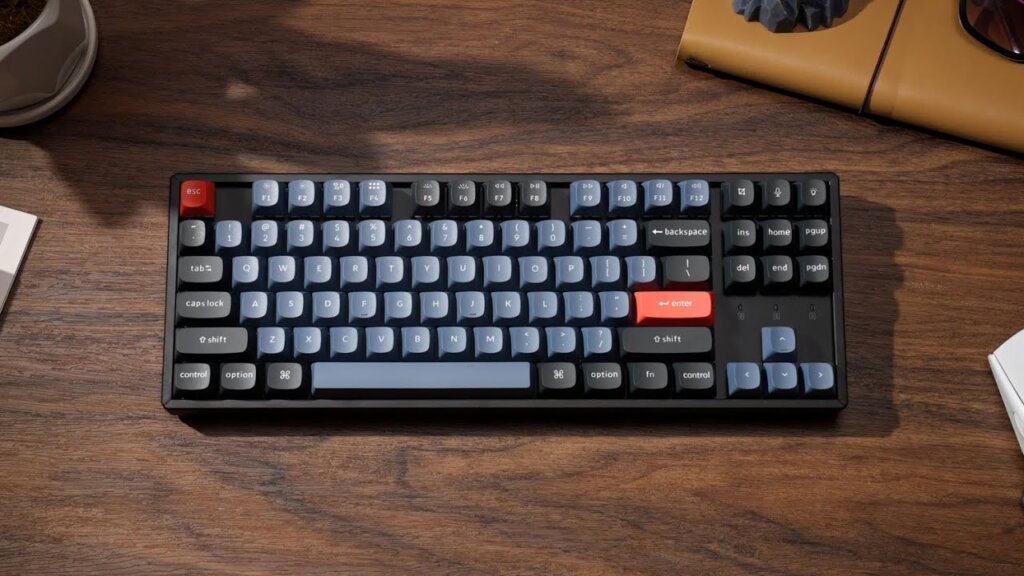
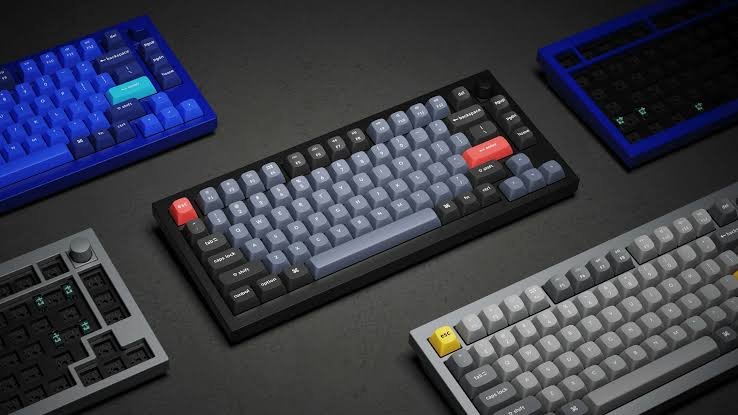
Keychron K Pro Series: A series of mechanical keyboards that supports multiple sizes (including 60, 65, 75, TKL, and full-size) that have hot-swappable keys, can be connected via Bluetooth and wired, and is highly customizable. It has such versions as K3 Pro, K8 Pro, K10 Pro and so on.
This establishes an extremely curious contrast a high-end office-focused small keyboard and a versatile, mechanical powerhouse.
Design & Build
The first thing, which I needed to mention when I first put the Logitech MX Keys Mini on the table was its sparse beauty. The profile of the keyboard is low and sleek and modern and clean, with the even spacing of the island keys. It is a small 75 percent design that has 79 keys, does not have numpad and has a footprint that does not occupy much desk space.
The design of the Logitech mouse is also made in such a way that is sturdy enough, a tough shell that is good enough to carry around in everyday use, yet light enough to be put back in a backpack when traveling.
On the contrary, the Keychron K Pro Series keyboards differ significantly in design since it is a series. You can have a small 60% size keyboard with no function row or arrows, or fullsize layout with all the features. Mechanical switches and a combination of aluminum and plastic material are the most used and make them more robust and tactile on your desk.
Experience on typing – Scissors vs Mechanical.
This is where keyboard of Logitech MX Keys Mini vs Keychron K Pro Series preference is put into its true thrust.
Logitech MX Keys Mini
The MX Keys Mini features scissor switches, the same type as laptops and they give rise to a comfortable and light typing experience. The keys have a minor and smooth movement and a small touch bump that does not feel harsh to type out long hours. It is excellent when you are typing an email, blog or even just working throughout the day and you do not want to hear loud key clicks.
You also have intelligent backlighting which turns on as your hands approach the keyboard and scales to the light in the room- again, a little touch but a touch of style and is really lacking on a mechanical board.
Keychron K Pro Series
About Keychron K Pro Series, it is entirely mechanical. That is to say, you are selecting a keyboard with real mechanical switches – usually Keychron K Pro switches – and 50 million keystroke lifespan. These switches have a nice substantial feel and can be tactile, linear or clicky depending on your preference.
Hot-swappability on most models is also another massive benefit. This implies that you can change the switches without the need to solder and can therefore adjust the typing feel to your preferences as time goes on, something you can never achieve with the MX Keys Mini.
Mechanicals are noisier, although the feel of the typing can be much more rewarding and accurate to long work or gaming as well as many typists (me included).
Connection and Compatibility Multi-Device Versatility.
Connectivity is one of the areas that Logitech excels in. MX Keys Mini is capable of connecting with a maximum of three devices at once through Bluetooth or Logitech Bolt USB receiver and switching among them without any inconvenience. It also allows Logitech Flow – that is, to operate various devices (even file transfers) using a single keyboard and mouse.
This particularly attracts those professionals who balance a laptop, tablet, and desktop flawlessly.
Most Keychron K Pro Series keyboards also have Bluetooth connectivity, and most also have USB-C wired mode – perfect when you need zero latency (so as to play games or do precision work) or when you are on battery.
Nevertheless, the multi-device switching experience on Keychron is not always as refined as in the Easy-Switch by Logitech, but it meets the very fundamental requirements quite well.
Extensive Battery Life — Work Longer.
In case you are one of those who despise charging devices constantly, this is a fact to take into account.
The MX Keys mini is charged with a rechargeable 1500 mAh battery. Logitech states that with or without illumination it lasts about 10 days and 5 months respectively depending on the frequency of use of the backlight.
Conversely, battery life on Keychron K Pro Series keyboard models depends on the model and backlighting choices, but mechanical keyboards tend to use more energy, particularly when you have RGB lights on. As an illustration, the K10 Pro has a battery life of approximately 100 hours under no intensive back-lighting that is quite impressive to a mechanical keyboard.
So if long battery life without frequent charging is a priority, the MX Keys Mini often has the edge — especially if you don’t need full RGB or heavy mechanical features.
Customization & Software Support
Logitech’s Logi Options+ software is a big plus if you want to tweak shortcuts, reassign keys, create smart actions, or set app-specific profiles. It’s intuitive and works well across Windows and macOS.
With the Keychron K Pro Series, customization is deeper and more hands-on. Most K Pro models support QMK/VIA firmware — an open platform that lets you remap keys, program macros, and personalize layers
If you’re the kind of person who enjoys deep control of your keyboard behavior and layout, Keychron gives you far more freedom. However, that also means a slight learning curve if you’re new to firmware customization.
Final Verdict — Who Wins?
So when it comes to Logitech MX Keys Mini vs Keychron K Pro Series, the answer isn’t a single “winner.” It really depends on what you’re looking for.
If you value productivity, minimalism, and seamless device switching, the MX Keys Mini is incredibly compelling. It’s refined, quiet, and built for focused work — ideal for writers, designers, and office professionals.
But if you want customization, mechanical feel, and long-lasting performance, the Keychron K Pro Series offers flexibility and power that can be tailored to your style — perfect for developers, mechanical keyboard enthusiasts, and gamers.
Both keyboards are capable and high-quality in their own right. The choice ultimately comes down to your preferences: quiet productivity or mechanical expressiveness.