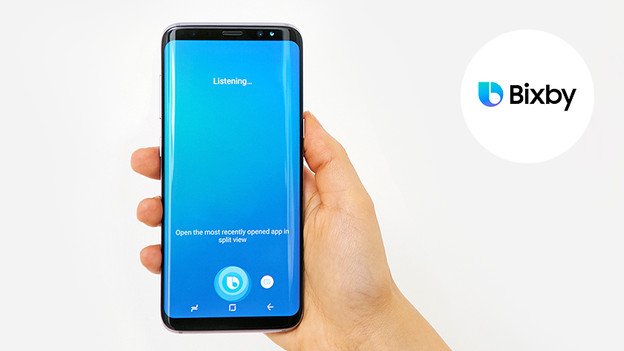
A smartphone showing an AI assistant interface. As a Samsung user, I used to think of Bixby as an underdog among smart assistants. But with the latest One UI 8.5 update, Bixby has just leveled up. It’s now much more conversational and can handle tasks through natural language. Instead of rigid voice commands, you can talk to your phone like a friend.
For example, you can say things like “I don’t want the screen to time out while I’m reading” and Bixby will instantly turn on the “Keep screen on while viewing” setting. You don’t even need to know the exact menu name.
This kind of intuitive control means less digging through settings and more simply asking for what you need. If you ever wondered, “Why is my phone screen always on in my pocket?”, Bixby can answer that too – it will point out the Accidental Touch Protection setting and suggest turning it on.
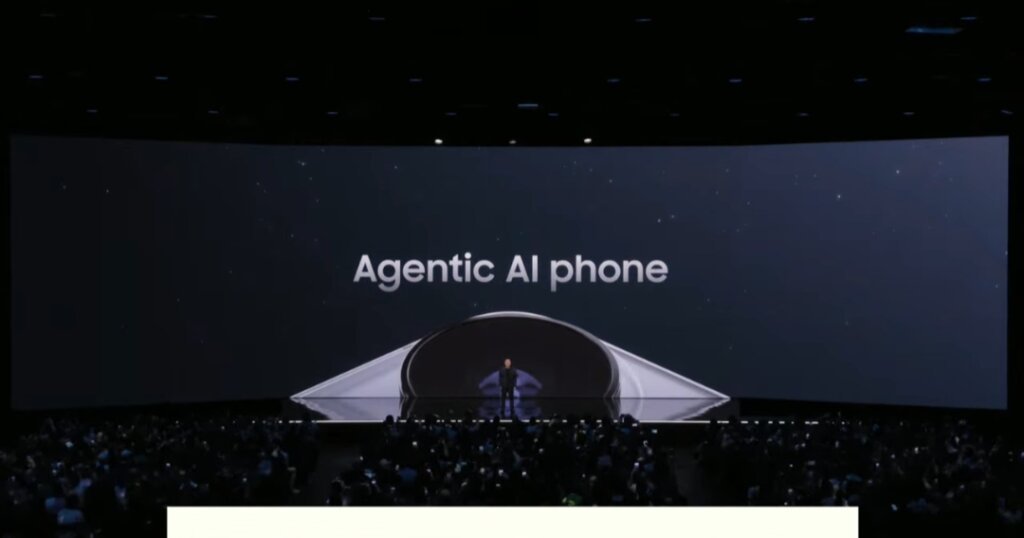
Samsung now calls the Galaxy S26 series the first “agentic AI phone”, and Bixby is a big part of that. Unlike before, Bixby understands context and conversation. In the new update, you can say “My eyes hurt from the screen” and Bixby will smartly open the brightness settings for you. It won’t just give you generic instructions – it takes action. In my experience, this feels like having a built-in tech expert who anticipates what you mean. No longer do you have to remember the exact command or setting name – Bixby handles the heavy lifting. This natural conversation style is a huge step up and makes everyday device control feel effortless.
Instant Search and Contextual Response.
Bixby is now able to search the web and deliver the answer directly in its interface. That is to say that you pose a query and receive real time, current information without stepping out of the chat. As an example, I typed, Find me hotels in Seoul with swimming pools and kids and Bixby displayed the results in the assistant window.
There was no additional browser necessary, it remained in Bixby and thus was fast and precise. In the past, one had to use multiple applications to access web information; Bixby does it in-app. Bixby brings answers right away whether you are looking up sports scores, recipes, or the closest coffee shop.
In addition to the fact finding, the awareness of the context of Bixby saves your time of troubleshooting. When you query it about something, such as Why is my battery draining so fast? It can analyze the scenario and provide a solution, by helping you get to the appropriate settings (such as battery saver mode or background use statistics). It is as though you had a device manual that hears you out. To put it in a nutshell, the new web search and live information features in Bixby imply that you can remain on track as well as receive support at one location.
The comparison between Bixby and Siri, Google assistant, and Alexa.
You may be asking what is the performance of the new Bixby in relation to Siri, Google Assistant, or Alexa. Here’s what I found:
Apple Siri: Apple assures significant Siri upgrades. There is a report that Siri will be made smarter in the spring of 2026 with the debut of Google Gemini models. Released, Siri is expected to know personal context, such as what you are viewing on your screen, and provide rapid responses. Most of those features are yet to be rolled out. By comparison, even the current update of Bixby in Samsung already offers real-time answers and natural language control.
Google Assistant: The new agentic capabilities of Google Assistant allow the Assistant to accomplish multi-app tasks in apps. Indicatively, in a Pixel 10 demonstration, an AI read a chat about a pizza-group, opened DoorDash, assembled the cart, and waited to tap on it. The Gemini-powered agent skills will be soon transferred to Pixel devices by Google.
The same idea is applied by Samsung: Bixby collaborates with Gemini and Perplexity agents that are created by Google and used on Galaxy devices. The major distinction is attention: Bixby has become a significant part of Samsung hardware and environments, and it is great at managing phone functions such as brightness, battery, and Wi-Fi. The agent of Google excels in cross-app.
Amazon Alexa: Amazon released a new version named Alexa+ which is a generative AI-driven version. Alexa+ is capable of conversing with natural and flowing conversations and reminisces tasks independently by coordinating services. As an example, Alexa will be able to browse the web to repair your oven – it will find a Thumbtack service, book it, and update you do not have to meddle. Smart-home control and personalization is also a strength of Alexa.
I believe that Alexa is still the ruler of domestic devices, but Bixby is catching up on phone applications. It is not so agentic as Alexa+, though it is quite competent in managing the phone ecosystem.
Samsung Bixby: Bixby is able to talk to you on your phone with the One UI 8.5 update. You speak to it like the rest of the people and it performs tasks of the device. It also retrieves live internet responses in the assistant window. Bixby read a recipe on a webpage and customized the settings in my tests to assist me in following through on the recipe, without even having to change apps. The new Bixby is Samsung exclusive however, this deep integration provides better control over the device unique features. It is now at the same level with competitors in the field of on-phone assistance.
Practical Tips and use cases.
How does this apply in reality? The following are some of the applications I have tried on my Galaxy phone:
1.Control hands free: I speak to my car or kitchen, Hey Bixby, turn on GPS, or Open my last photo, and it turns me to the application. I had to gropingly feel my way along menus; now I just request. An example would be, at 10.00 pm, I would say, Make sure I am not bothered with notifications after 10.00 pm, and the assistant would switch off Do Not Disturb.
2. Problem-Solving Questions: Caught between a rock and a hard place? Ask Bixby. I said, Why can I not keep my Wi-Fi on? Bixby justified that it was Power Saving mode that was switching it off and proposed to disable the same mode. It would be plain to say that saying that my eyes hurt led Bixby to alter the blue light filter and decrease brightness so that reading becomes comfortable.
3. Quick Info and Lists: I rely on Bixby to get me quick information such as timers and alarms: “Set an alarm to 7am or What is on my calendar today? It even reads out notifications in reverse should I enquire about messages or missed calls. I can also perform quick research with the new web search: “Tell me what ingredients I need to make pancakes and it provides me with a recipe right in Bixby.
4. Smart Home and IoT: Bixby supports voice control of smart appliances made by Samsung, or those powered by SmartThings. As an example, say, start washer or preheat oven to 350 o C (supported models). I also used Bixby to switch on lights of the living-room. It makes Bixby a Samsung hub.
5. Daily Assistant: Bixby can also be used to make Bixby summarize my day, which is entertaining to use. It provides briefings when you are free, news, or notifications. Just to give an example, by saying, Good morning, Bixby, I get informed about the weather, my upcoming meeting and any news headlines about which I was actually interested. It is a personal assistant that is natural to speak to.
Conclusion
I’ve been pleasantly surprised by how Bixby just leveled up. It’s turned from a bit of an afterthought into a capable AI helper on par with other major assistants. As a Samsung user, I feel more “plugged in” to my phone now – I can speak naturally and get things done.
The competition (Siri, Google Assistant, Alexa) is fierce and each assistant has its strengths, but Bixby’s advantage is its tight integration with Galaxy devices and One UI features. If you own a Galaxy phone, give the new Bixby a try. Ask it to handle common chores: change settings, answer questions, control apps, or even manage smart home gear. You might find yourself relying on voice more than ever, because Bixby is listening and understanding better.
In short, Samsung has breathed new life into Bixby. The assistant that once lagged behind has learned to speak our language – literally. And that means your phone can help you more intuitively than before. As a tech enthusiast, I’m excited to see Bixby grow, and as a user, I’m already reaping the benefits. Who knows what next year’s updates will bring? But for now, Bixby is definitely on the rise, and it’s ready to do more of the heavy lifting for you.